
Sign up and name your workspace
Sign-up takes three short steps: your account, your email, and your workspace. At the end you have a workspace of your own, ready for your agent.
1. Make your account
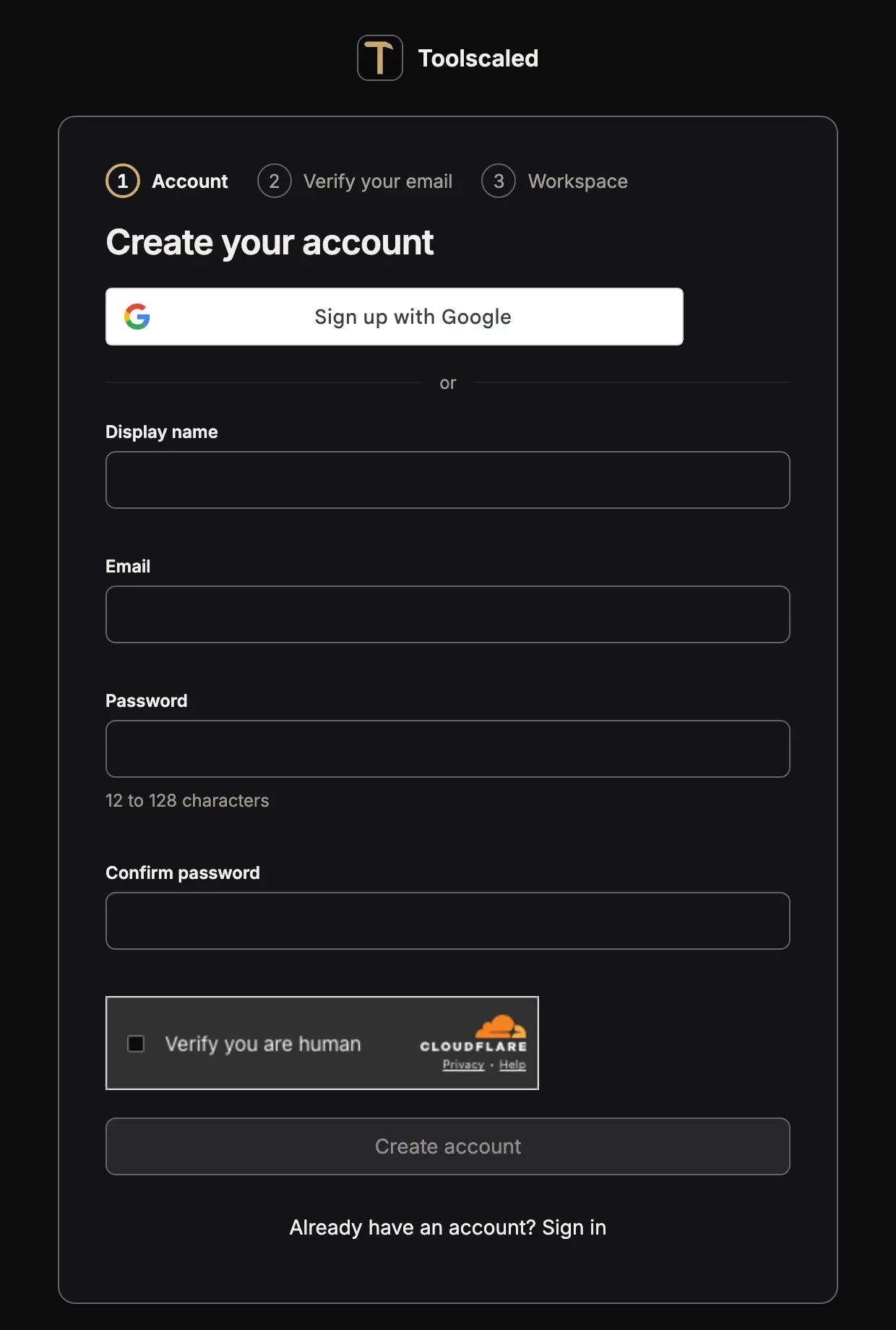
Section titled “1. Make your account”Open app.toolscaled.com/signup. The card Create your account asks for:
- Display name
- Password, 12 to 128 characters
- Confirm password
Press Create account. Or press Sign up with Google to sign up with your Google account.
2. Verify your email
Section titled “2. Verify your email”Toolscaled sends a mail with a link. Open the link: the page Verify your email opens, then press Sign in. If no mail comes, press Resend verification email.
When you sign up with Google, your email is verified already, and this step does not show.
3. Name your workspace
Section titled “3. Name your workspace”The page Name your workspace asks for the Workspace name, from 1 to 120 characters. Press Create workspace.
Your first workspace starts on the Free plan, so there is no card to enter and no plan to choose, and the workspace opens at once. Plans and credits says what the plans give.
What comes next
Section titled “What comes next”Toolscaled sends you the mail “Welcome to Toolscaled: your first steps”, and the workspace shows the panel Get started with the next three steps. For a first workflow, the first of them is enough: connect your agent. Your first workflow goes through the steps with an example, and How Toolscaled works gives the whole idea in one page.