
Plans and credits
Each workspace pays for what it runs with its plan and its credits. This page says what each plan gives, and how to get more credits when you need them.
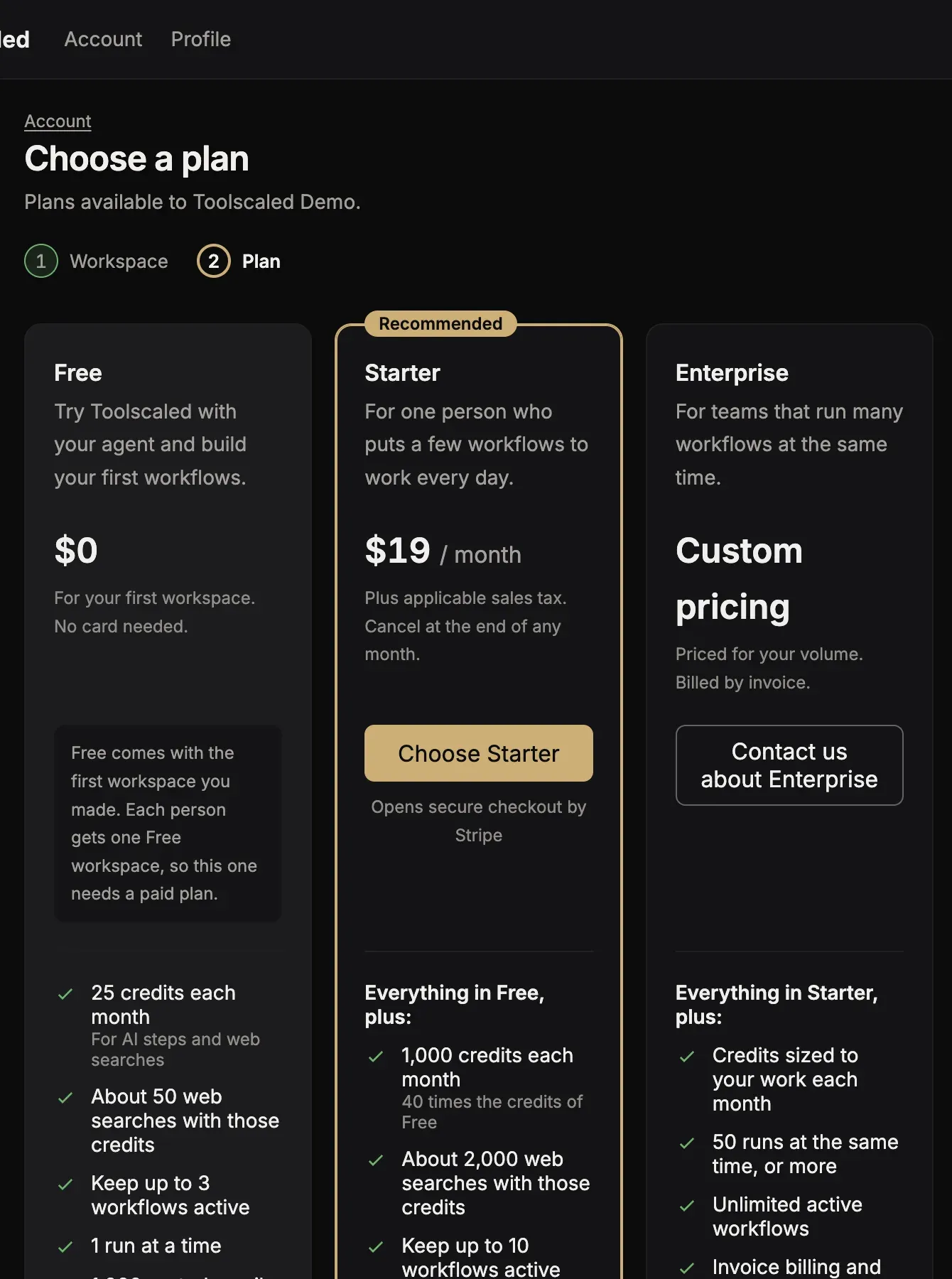
The plans
Section titled “The plans”Each workspace has its own plan.
- Free: your first workspace starts on it, with no card needed. It is for one person: you cannot invite anyone to it.
- Starter: a paid plan for one person who puts a few workflows to work every day. You can invite people to a Starter workspace.
- Enterprise: for more runs at one time, more workflows and more credits. Press Contact us about Enterprise to talk to us.
Pricing lists the price, the credits each month and the limits of each plan: how many runs go at one time, and how many workflows are active.
Credits
Section titled “Credits”Every plan gives the workspace credits each month. AI steps and web searches use credits. What a workflow costs says how a run uses them.
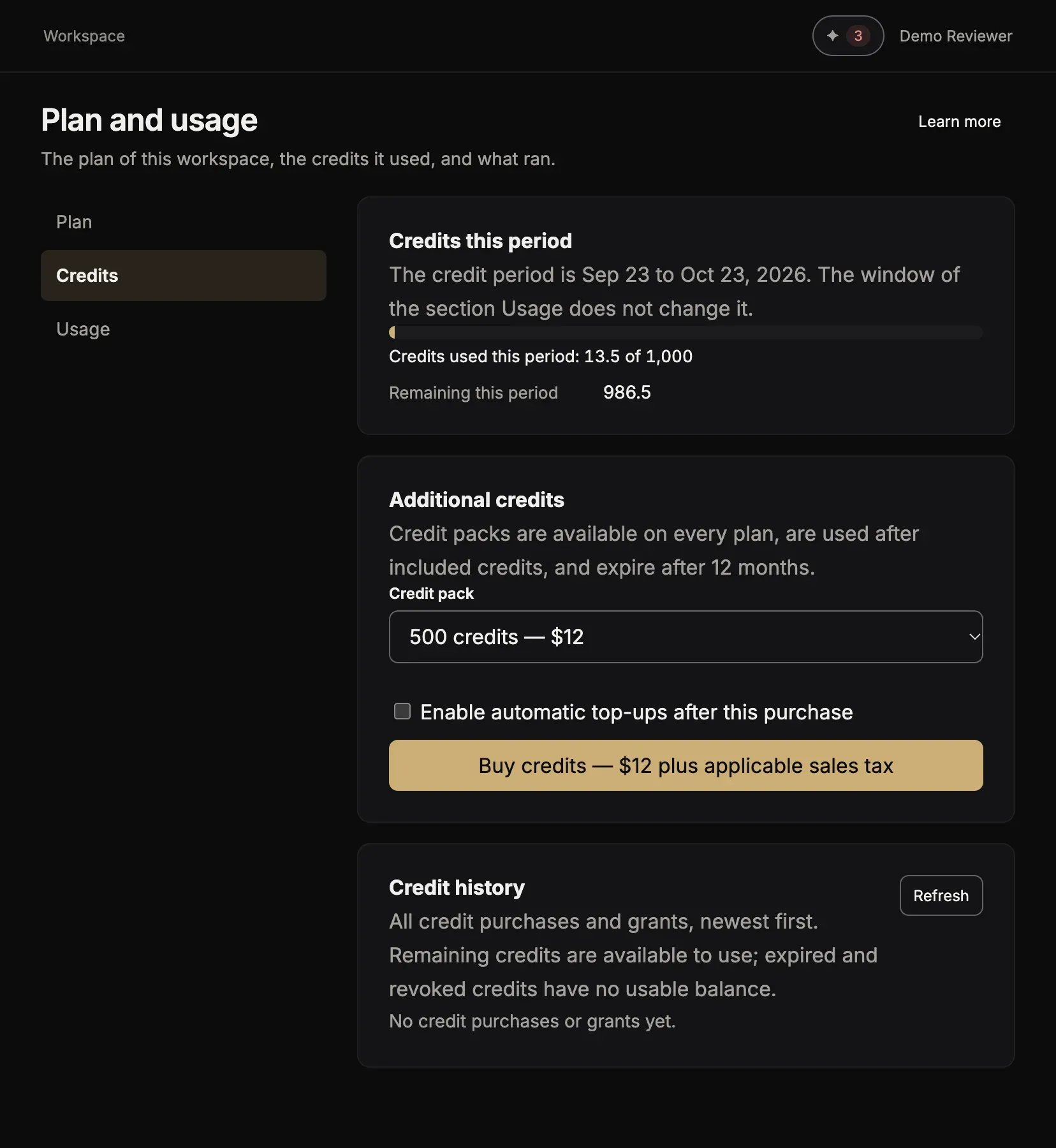
Open Plan and usage in the menu of your workspace. The card Credits this period shows the credits used, what is left this period, and your credit packs.
Credit packs
Section titled “Credit packs”When you need more credits, buy a pack in the card Additional credits of Plan and usage: 500 credits for $12, or 10,000 credits for $150, plus sales tax. A pack is used after the credits of your plan, and it ends after 12 months. You can also turn on automatic top-ups, with a limit for each month.
Change the plan
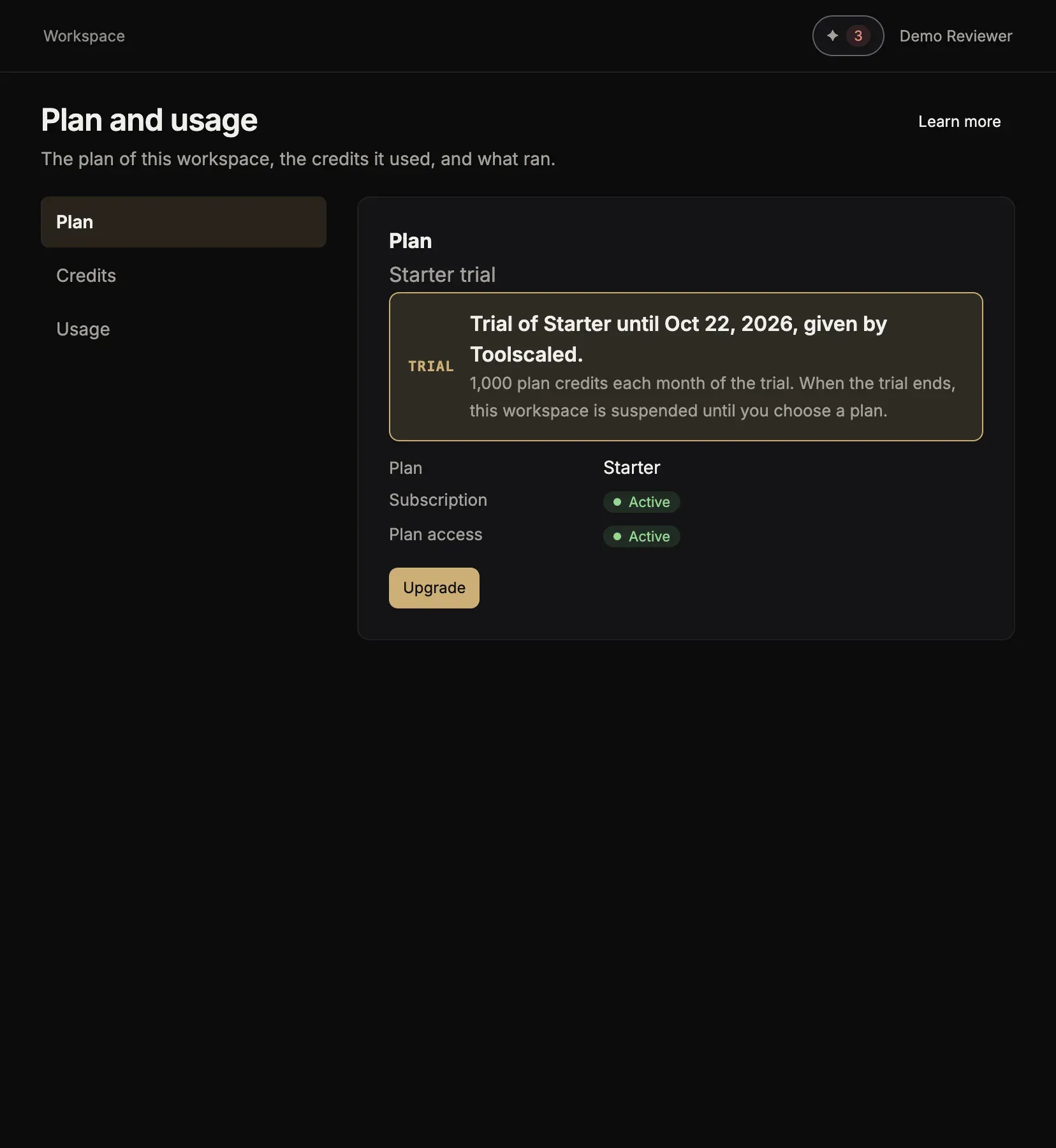
Section titled “Change the plan”An administrator of the workspace changes the plan, in Plan and usage or on the page Account (your menu, then Workspaces):
-
Change plan opens the plans to choose from. During a trial, the button is Upgrade.
-
Manage billing opens the payment page, for the card and the bills.
-
Cancel at period end stops the paid plan at the end of the period. Undo cancel takes that back. A workspace that started on Free goes back to Free when its paid plan ends.