
Which model a workflow uses
Most AI steps need no choice from you, because each one runs on the default model of its level. This page says how to see that model, and how to change it.
Levels and models
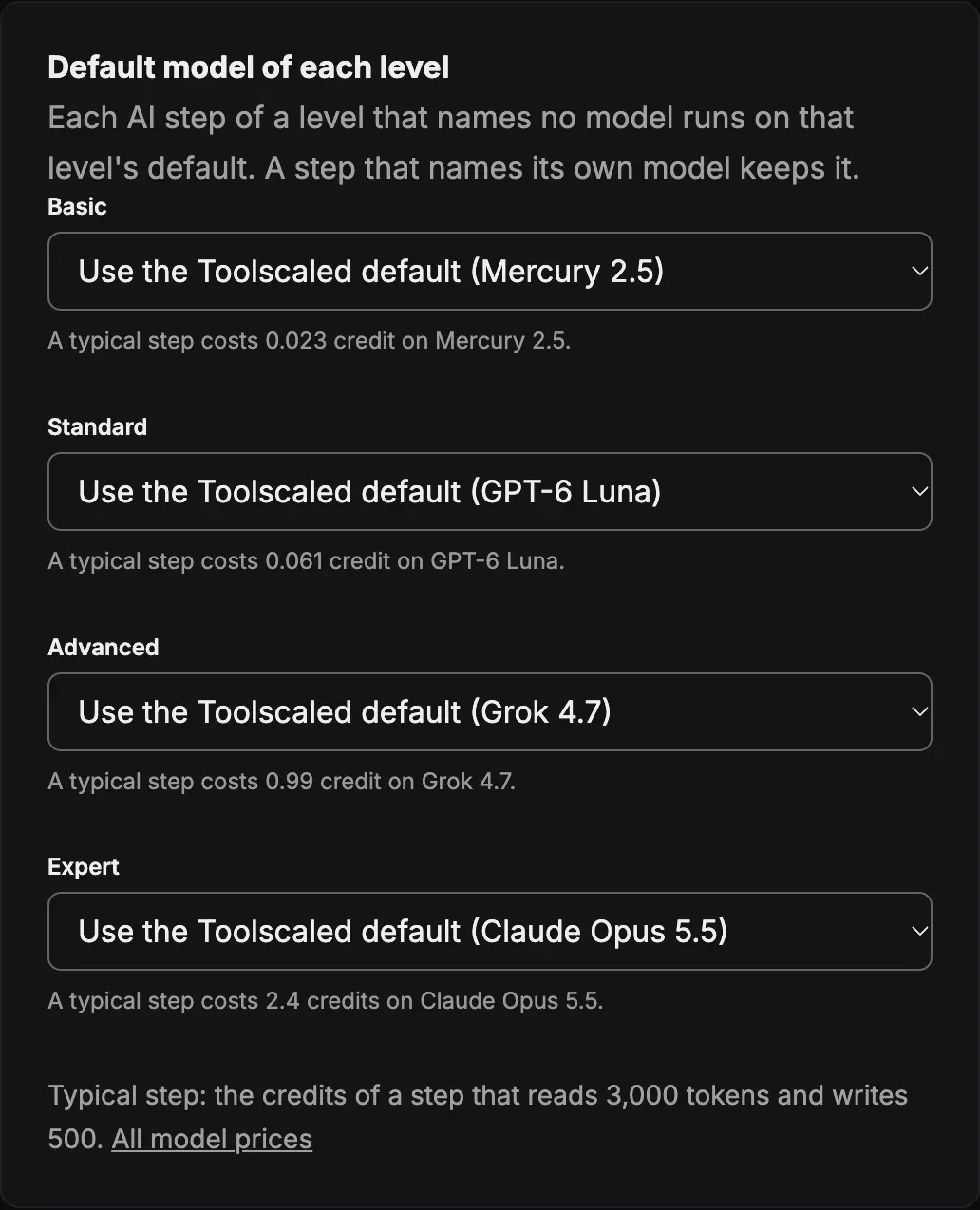
Section titled “Levels and models”Each AI step of a workflow has a level: Basic, Standard, Advanced or Expert. A step with no level is Standard. Each level has a default model. A step runs on the default model of its level, unless the step names a model of its own.
The models, their levels and their prices are in the table Models on the Pricing page.
See the model
Section titled “See the model”- On the workflow page: open the tab Steps, then a step. An AI step that names its own model shows “Model:” and the name of that model. A step that names no model runs on the default model of its level.
- In the estimate: before three runs are complete, the estimated cost lists each AI step with its level and its model.
- On a run: the card Model calls lists the level and the model of each call that the run made.
- In your chat: ask “Which model does each step of the Weekly summary workflow use?”
When Toolscaled stops to offer a model, the steps that named it run on another model of the same level. The workflow page and the run page say which model runs in its place.
Change the model of a level
Section titled “Change the model of a level”An administrator of the workspace does this.
-
Open Settings in the menu of your workspace. The page Workspace settings opens; choose AI models.
-
In Default model of each level, choose a model for the level. Each choice shows what a typical step costs on that model. Use the Toolscaled default goes back to the model that Toolscaled chose.
-
Press Change the default in the dialog. The dialog shows the cost of a typical step before and after.
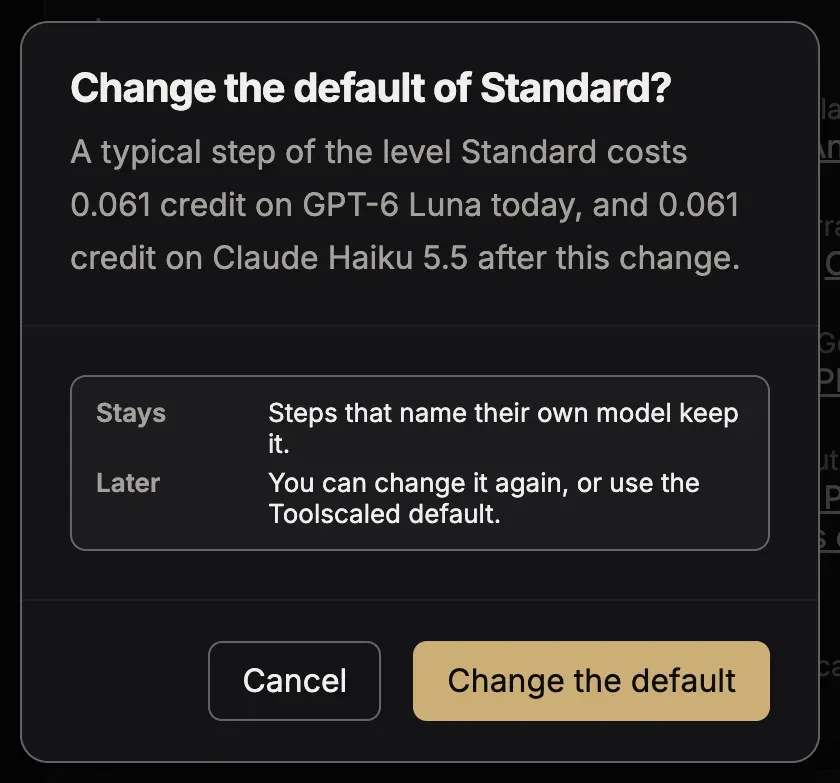
The change reaches each AI step of that level that names no model, in every workflow of the workspace. A step that names its own model keeps it.
A model for one step
Section titled “A model for one step”When you make a workflow in your chat, you can ask for one model for one step, for example: “Use Claude Haiku 5.5 for the summary step.” Otherwise the agent chooses a level for each AI step.