
An MCP server that signs you in
Many services publish an MCP server at an HTTPS address, and many of them sign you in with your own account on their own page. You can attach such a server even when it is not a ready connector, and it takes only a few fields more. Linear is the example here: its MCP server is at https://mcp.linear.app/mcp.
Before you start
Section titled “Before you start”You need the address of the server. The service’s own help pages give it, often under “MCP” or “AI agents”.
Attach the server
Section titled “Attach the server”-
Open Tools in the left bar and select Add tools.
-
Select An MCP server, then Next.
-
Fill in the form:
- Source name: the name you will see in Toolscaled, for example
Linear. - MCP server name: a short name for the server, for example
linear. - MCP endpoint URL: the address, for example
https://mcp.linear.app/mcp. - Icon URL: leave it empty. Toolscaled finds the icon from the address.
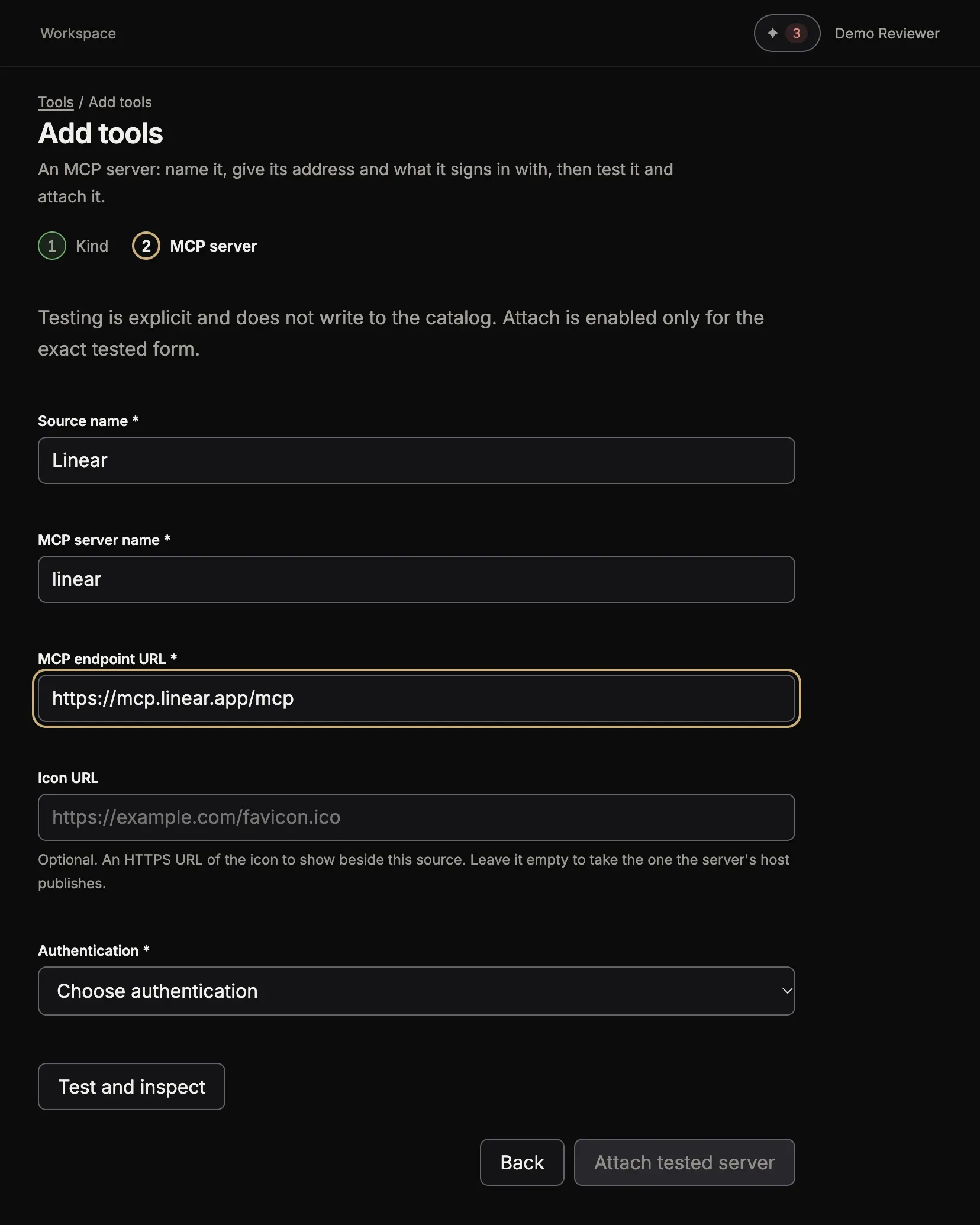
- Source name: the name you will see in Toolscaled, for example
-
For Authentication, choose OAuth account. The form says “Authorize this server with your own account. You sign in at Linear and come back here.”
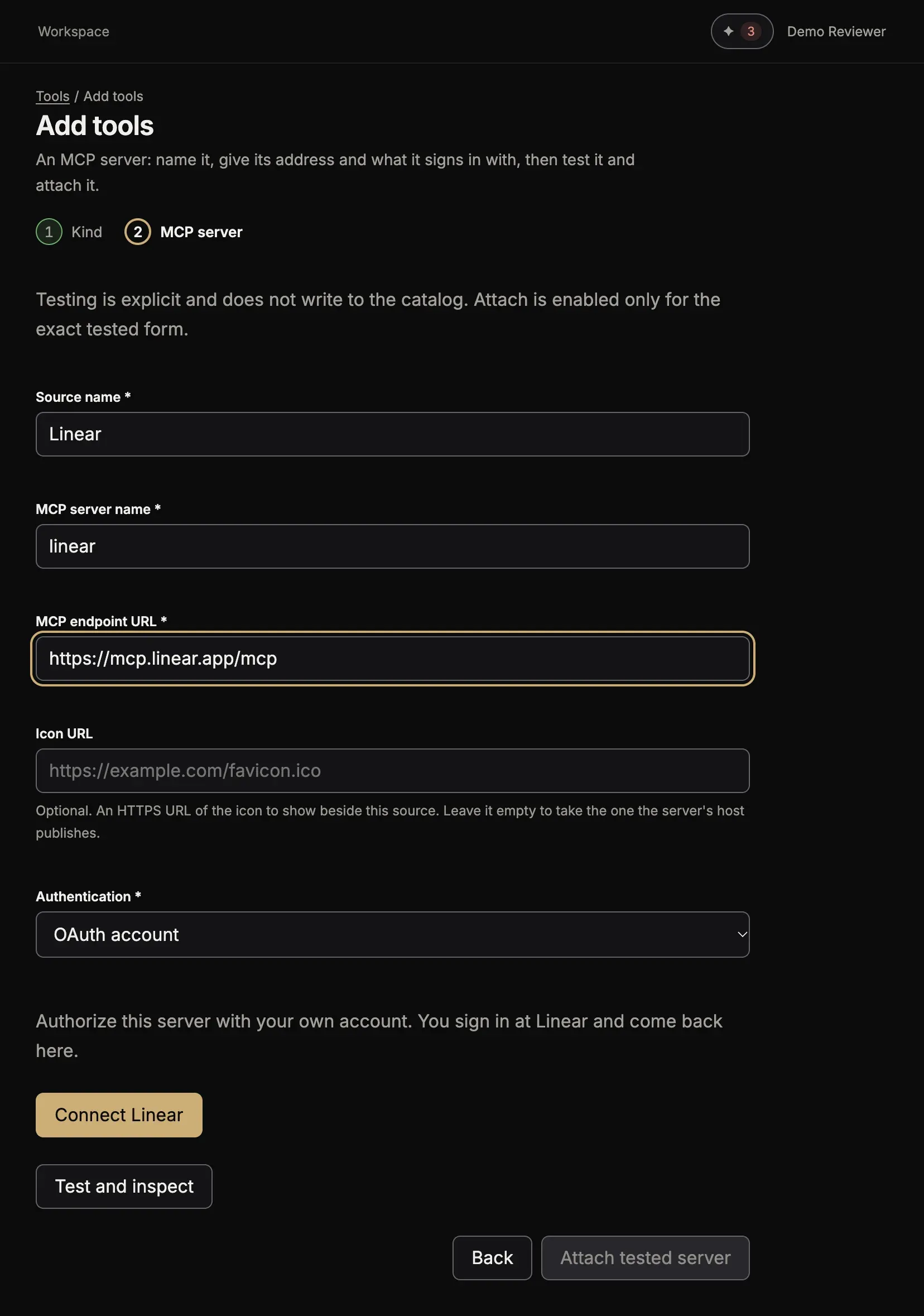
-
Select Connect Linear.
-
On the service’s page, sign in and allow the access.
Once you allow the access, you come back to the form. It says “The account is connected and the source is published.” The tools of the server are in a group of their own.
The button Attach tested server is for a server that needs no sign-in or a key: there you select Test and inspect first, then Attach tested server. For a server that signs you in, the sign-in attaches it.
When the sign-in does not work
Section titled “When the sign-in does not work”Toolscaled signs in by the rules of MCP: it finds the server’s sign-in page from the address, and registers itself there. A few servers accept only the apps on their own list, and their sign-in fails for Toolscaled. Ask the service to allow Toolscaled, or use a key if the service offers one: see An MCP server with a token, a password or a key.