
What a workflow costs
Toolscaled shows what a workflow costs before it runs, after each run, and for the whole workspace, so you know what to expect.
What a credit is
Section titled “What a credit is”Toolscaled counts cost in credits. A step that uses an AI model costs the credits of that model in the model table, for the tokens it reads and writes. A web search costs 0.5 credit. Each run that an automation starts costs at least 0.1 credit.
Your plan gives your workspace credits each month. Plans lists them.
Before it runs: the estimate
Section titled “Before it runs: the estimate”Open Workflows, then the workflow. The fact Estimated cost shows about how many credits a run uses. A workflow with no AI step has an exact Cost.
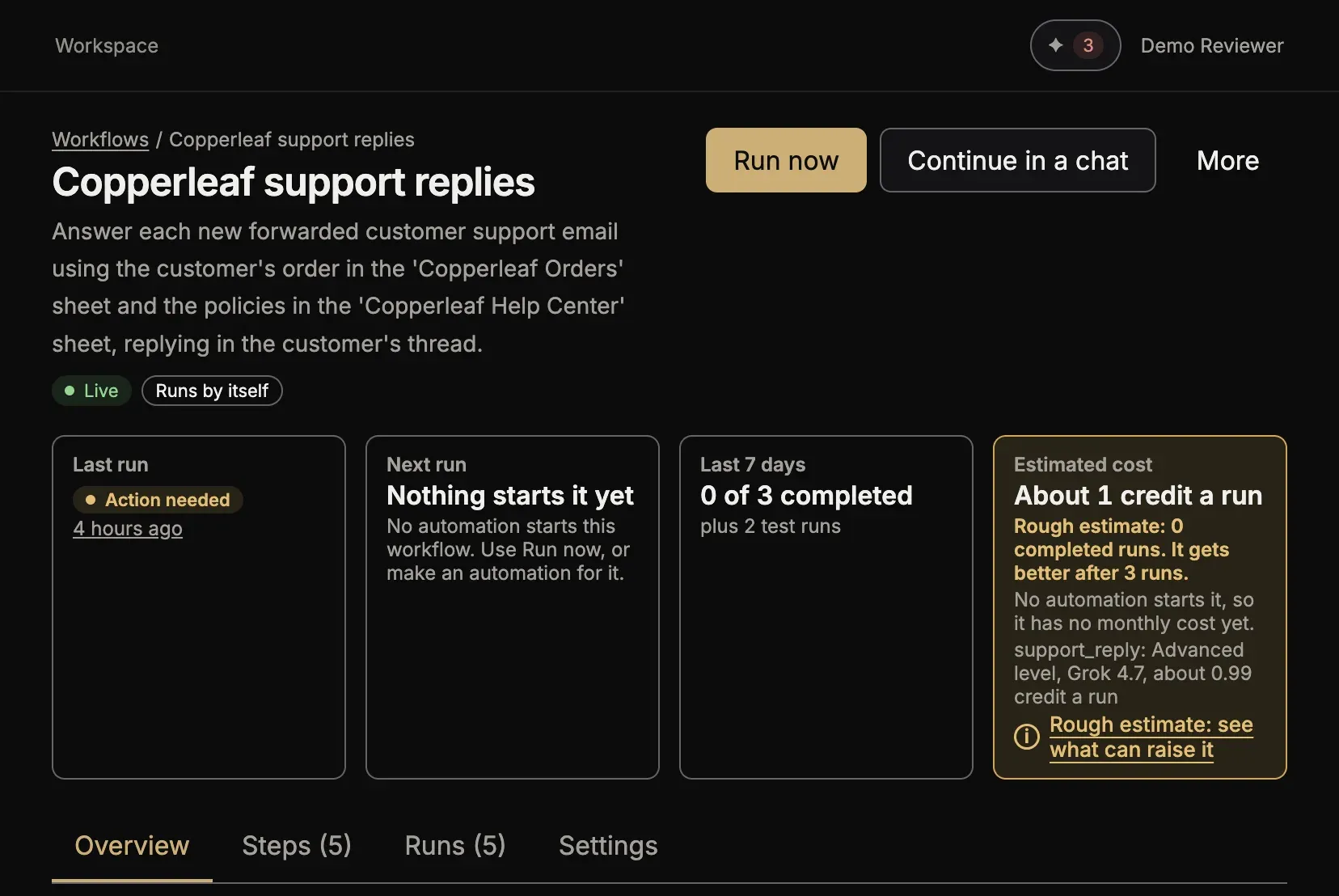
Under the number:
- the cost of a month, for the runs of its schedule, or for runs as in the last 30 days when an event starts it;
- the share of your monthly credits that this month uses;
- the cost of a run that you start yourself, when it is not the same.
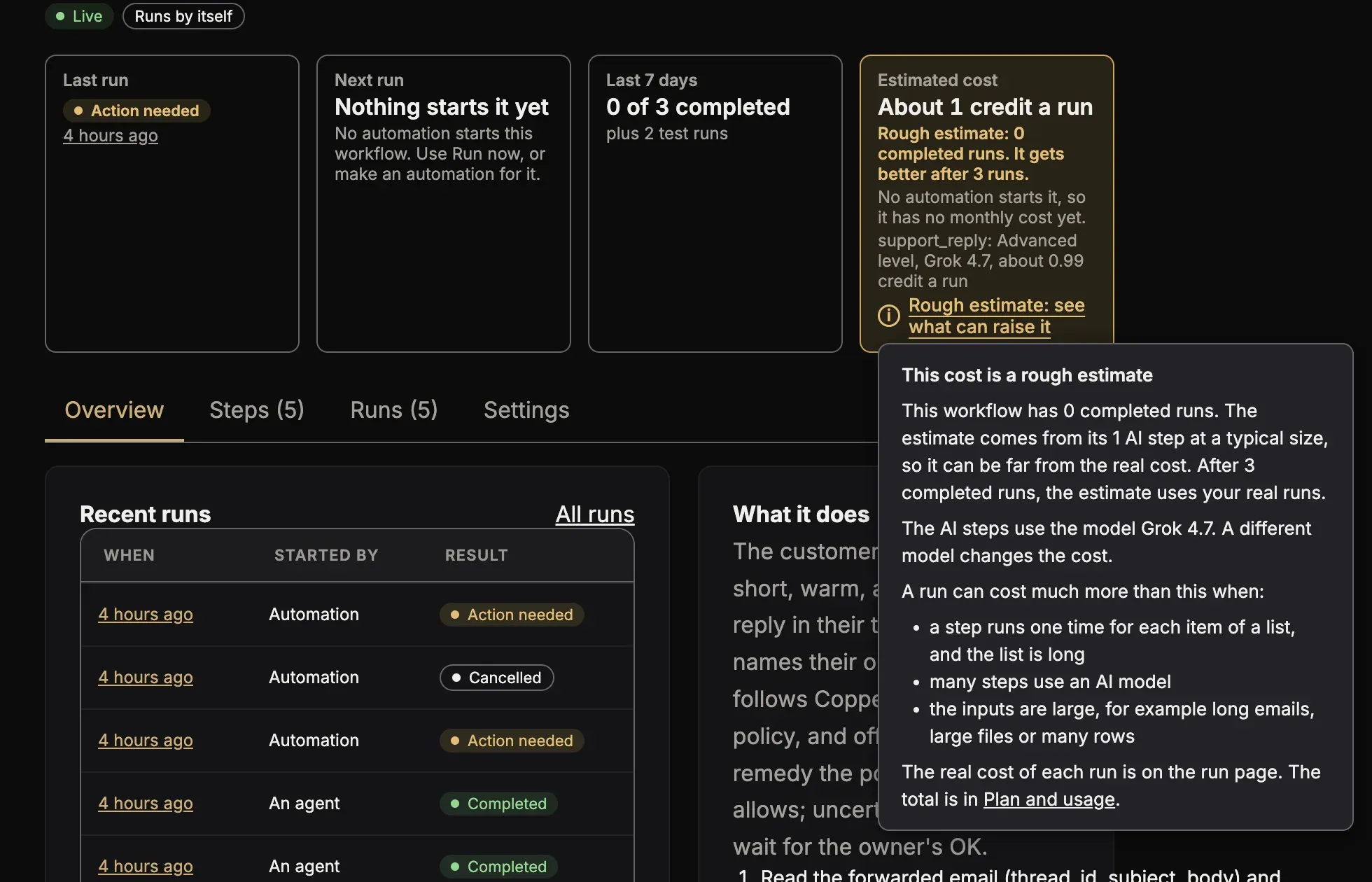
The estimate gets better as the workflow runs: it is the average of the last completed runs. Before three runs are complete, it is a rough estimate: it counts each AI step at a typical size, and it lists each AI step with its level and its model. Press Only an estimate: see what can raise it (or Rough estimate: see what can raise it) to read what can make a run cost more: a step that repeats over a long list, many AI steps, and large inputs.
The lists of workflows and of automations have the column Cost a month.
After it runs: the real cost
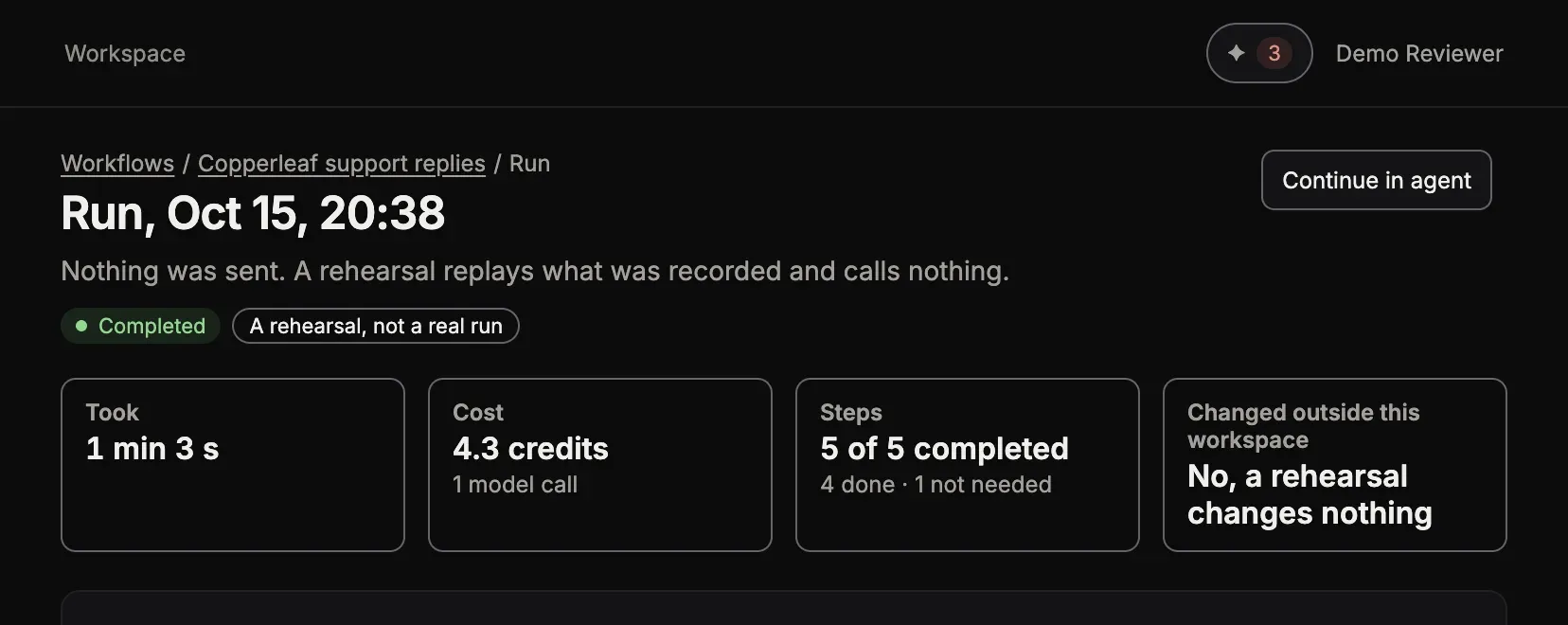
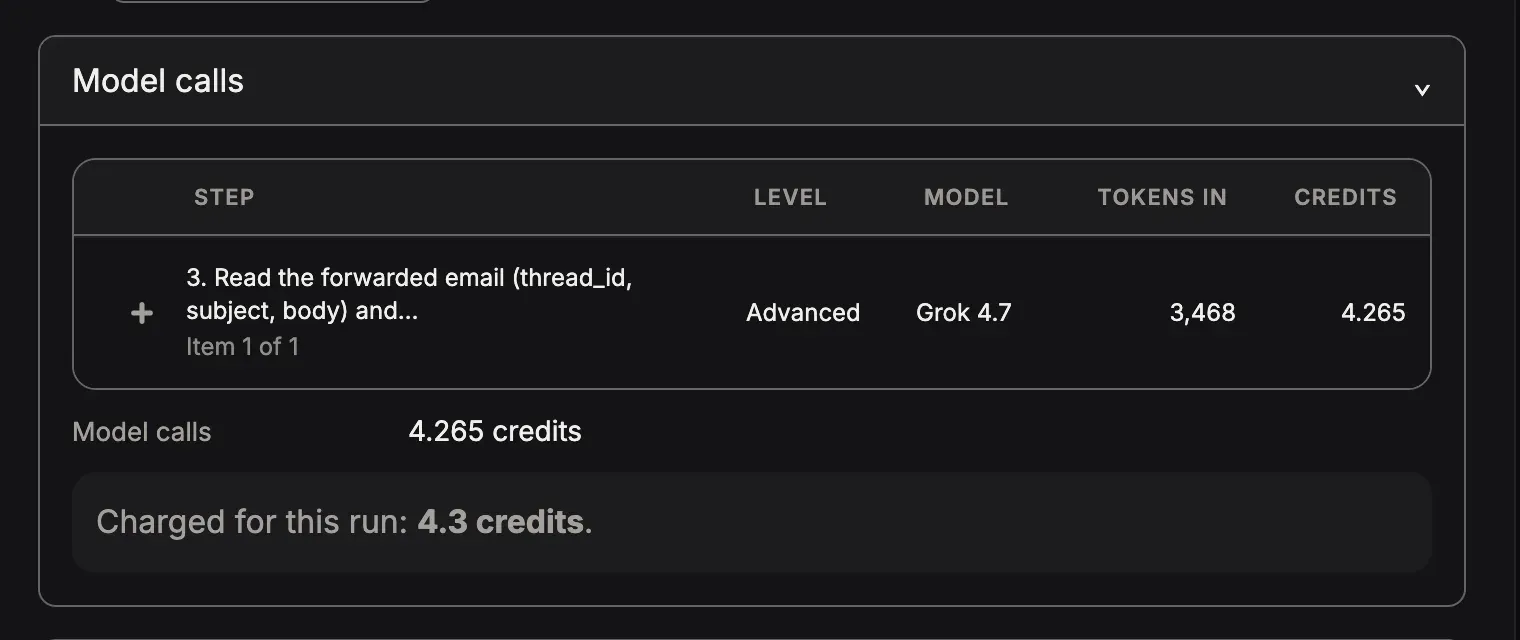
Section titled “After it runs: the real cost”Open the run. The fact Cost shows the credits of the run and how many model calls it made. The card Model calls lists each call: its step, its level, its model, the tokens in and out, and its credits. Its last line says what was charged for this run.
For the whole workspace
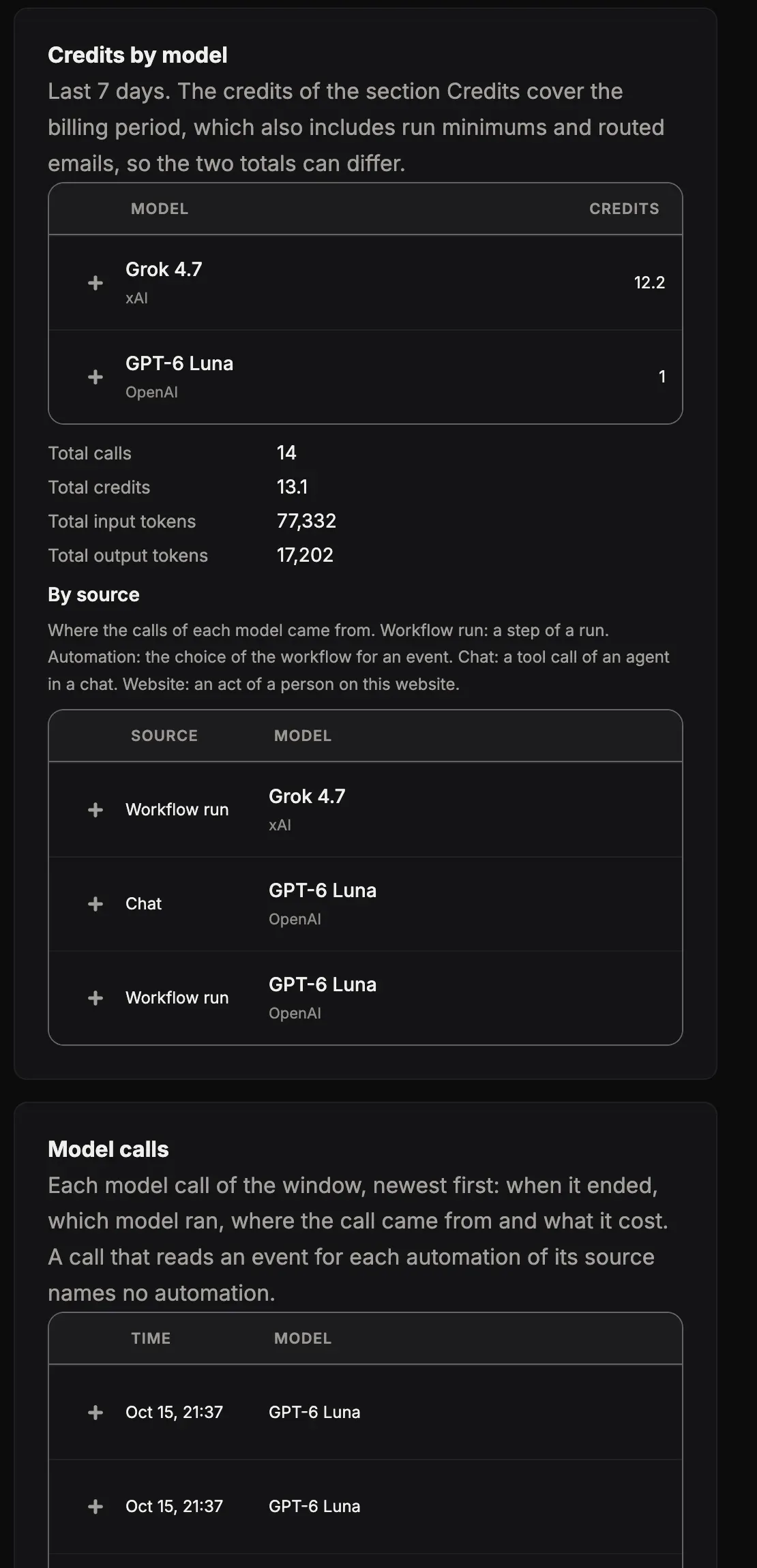
Section titled “For the whole workspace”Open Plan and usage in the menu of your workspace:
-
Credits this period: the credits used of your plan, what is left, and the credits you bought.
-
What ran, By tool, Credits by model and tool and Model calls: where the credits went, for the last 7, 30 or 90 days.
When the credits of the period and your credit packs are all used, the AI steps stop until the next period starts. Plans and credits says how to buy a pack.